CleanYourTV, a Claude Code Prompt That Strips Ads From Android TVs, Hits 36K Stars in 9 Days
TL;DR
On October 17, Gathin T. posted a before-and-after of his parents' Xiaomi TV after Claude Code had switched off its ad and telemetry packages over Wi-Fi and installed a small Apple TV-style launcher. The repo behind it, CleanYourTV, passed 36,000 GitHub stars by the morning of October 26, nine days after it was created. Version 3.0, released October 25, ships package lists for 300 TV models from 86 brands, 20 add-ons and a launcher in 28 languages, and the release notes say 169 people wrote most of it in one week. The method is plain Android tooling: ADB over the network, pm disable-user instead of uninstalling, and a restore script that undoes every step. The part worth copying is how the repo is laid out so that a coding agent is the installer.
From one Xiaomi TV to 316
Gathin gave Claude Code the model number of his parents' Xiaomi Mi TV 4A and, per TechCrunch, the agent found the set on the home network, switched off 25 Xiaomi packages (his post said "removed"; the repo's method disables) and wrote a replacement home screen. The first run took an afternoon on a TV with 1 GB of RAM, according to It's FOSS. The post took off (the README puts it at 7.4 million views, and ppc.land counted 8.4 million by October 24), and the replies became the data. People ran the same prompt on their own sets and sent back the package lists that worked: 170-plus TV models from 200-plus contributors in the first four days, by the README's count.
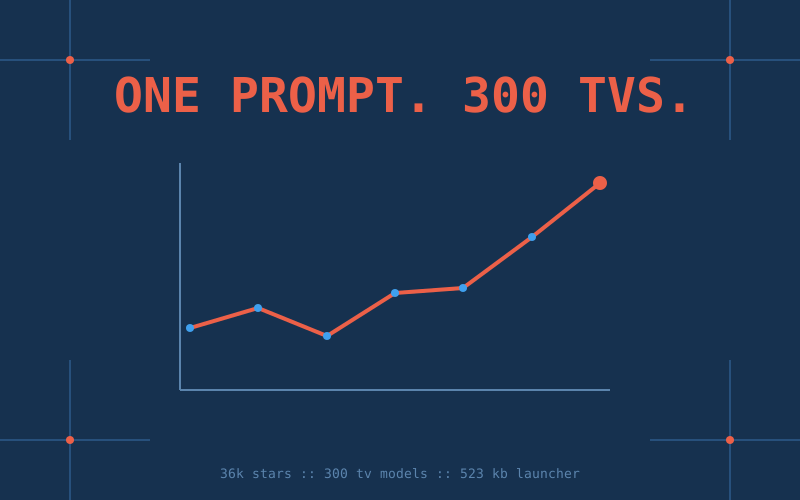
The growth is easy to date because three outlets measured it. It's FOSS counted just over 1,300 stars on October 19, when the repo was still called tv-vibehack. ppc.land counted 30,900 on October 24. GitHub's API reported 36,174 stars, 4,322 forks, 435 contributors and 1,221 merged pull requests when we checked on the morning of October 26. The README card now reads 316 TV models, 89 brands and 28 languages, a little ahead of the 3.0 release notes because lists keep landing.
TV makers spent a decade turning the home screen into a billboard. Undoing it took a weekend, a prompt, and a few thousand strangers with USB debugging switched on.
What the agent does to the TV
Android TV and Google TV sets expose the same Android Debug Bridge as phones. You enable developer options on the TV, turn on USB or network debugging, and approve the computer once. From there the procedure in PROMPT.md has three stages. The agent backs up the installed-package list, the disabled list, system properties and settings. It disables the manufacturer's telemetry, ad services, sponsored content rows and preloaded apps with pm disable-user --user 0, one package per call. Then it builds the project's launcher from source, installs it and makes it the default home.
Nothing is uninstalled, rooted or flashed. Think of pm disable-user as flipping a breaker rather than cutting the wire: the package stays on disk, Android stops starting it, and tools/restore.sh flips every breaker back. That one choice is what makes the job safe enough to hand to a language model with shell access.
The launcher is about half a megabyte of plain Java (the README card says 523 KB), targets sets with 1 GB of RAM, and needs Android 8.0 or later. It draws a black home with a four-app dock, a top shelf that names the focused app, a grid underneath, and three buttons for inputs, network and settings. For scale, one user in TechCrunch's piece swapped a 192 MB stock launcher for an 83 MB custom one. With the repo cloned as the agent's working folder, the README says the whole job takes about fifteen minutes. People without a laptop can use a community-built Android phone app that runs the same steps in about five.
Built so the agent is the installer
Most "AI-built" repos use the agent to write the code. CleanYourTV also uses it to run the code on your hardware, and the repo's layout follows from that. AGENTS.md opens by asking the agent which job it has: clean a TV, or change the repo. For the first job it says to follow PROMPT.md exactly, reuse tools/ and launcher/ instead of writing new ones, and edit only one config file. CLAUDE.md and GEMINI.md are a line each and import AGENTS.md, so Codex, Gemini CLI, Cursor and Copilot read the same rules.
The prompt itself is 18 KB of field notes: how to find the TV on the network, what to do when macOS Local Network privacy blocks adb, how to pair over Wireless debugging when port 5555 stays closed, which boxes cut power to their USB port while debugging is on, and how to confirm the ADB port is shut again when you finish. The bloat differs by brand, so the prompt has the agent discover it on the actual set and ask before touching anything a person might use. That is also why the community could scale it. Every successful run on a new TV produces a debloat.txt, which becomes a folder under examples/ with a tv.json, and the README tables regenerate from those files so list pull requests stop colliding.
The 3.0 release notes count 301 pull requests from 169 people since 2.7 shipped two days earlier, and 113 community projects in the showcase: forks, themes, whole alternative home screens, and 20 add-ons that plug a tile into the launcher for Home Assistant scenes, a Pi-hole or AdGuard pause button, HDMI inputs named after the device plugged into them, a night-time volume cap, and a flocking simulation you steer with the remote. A maintainer bot reviews every pull request first. ppc.land lists Gathin as a senior developer-relations engineer at 0G Labs; the bot runs on 0G's hosted computer, and the README suggests it as one place to run Claude Code. Consider it the one sponsored row the project kept.
The rails the tools enforce
Some rules live in code rather than in prose. tools/disable.sh, its PowerShell twin and check.py --fix refuse any list that includes Android's core packages (the permission controller, package installer, system UI, settings, the content providers), with no override, because disabling them can leave the TV unable to boot. AGENTS.md adds the rest: never start a factory or test package, keep the TV app and the input services behind HDMI and the tuner, keep the input menu, remote pairing, the keyboard, Play Store and Play Services, and when a package name says nothing, read dumpsys package and ask. Per-model lists carry their own exceptions. The TCL G10 list keeps the service the remote's mic button needs, and the Sankey list keeps Live TV because disabling it blanks every input.
The session ends with cleanup. The prompt has the agent switch debugging off, revoke the USB debugging authorisations, reboot, and run tools/adb-closed.py to confirm the port refuses connections. An ADB port left open on a TV is a hole in the home network, which is why the prompt treats closing it as part of the job.
What goes wrong
- Bricks happen. TechCrunch heard from one person who bricked an Android TV with Claude, and another who got stuck halfway through a Fire TV. It's FOSS notes that order matters: disable the stock launcher before installing a replacement and the Home button can land on a factory test app.
- Firmware updates fight back. An OTA update can re-enable disabled packages and the stock launcher.
tools/check.pydetects the drift, and the project suggests running it weekly. - Platform limits. Samsung Tizen, LG webOS and Roku are different operating systems and out of scope. Fire TV gets the debloat step only; dumbtv, a separate project started October 18 and at about 1,600 stars, targets Fire OS with its own 41 KB launcher and roughly 65 disabled packages. Some China-market TCL sets refuse any third-party launcher.
- It cleans the home screen, not the apps. Ads inside YouTube or Netflix are untouched. The audit in
tools/privacy.pylists voice, ACR and telemetry candidates, but the README says it cannot prove a package's intent. - Refusals and over-reach. Early users found Claude declined prompts phrased as "hack my TV" and did better with a model number and a package list. In the other direction, disabling the manufacturer's updater means no more security fixes, and switching off casting or voice affects everyone in the house.
What to copy
- Ship the agent's context, not a binary. There are no release binaries. The agent builds the launcher with
launcher/build-and-install.sh, and the repo is the installation manual, written for a model with a shell. - Reversible before clever. Back up first, disable rather than uninstall, and write the restore script before the first change. If an agent is going to act on hardware you cannot reflash, every step needs an undo.
- Put hard limits in tools that refuse. A rule in a prompt can be argued around; a script that rejects a list of core packages cannot.
- Turn successful runs into data. One folder and one
tv.jsonper device, with generated tables, is how 435 contributors added lists without stepping on each other. - One AGENTS.md for every agent. Single-line CLAUDE.md and GEMINI.md imports keep Claude Code, Codex, Gemini CLI, Cursor and Copilot on the same rules.
Key Takeaways
- CleanYourTV went from a single post on October 17 to 36,174 GitHub stars, 4,322 forks and 435 contributors by the morning of October 26.
- Version 3.0 (October 25) ships package lists for 300 TV models from 86 brands, a launcher in 28 languages, 20 add-ons and 113 showcase projects; the release notes credit 301 pull requests from 169 people in a week.
- The mechanism is standard Android tooling: ADB over Wi-Fi,
pm disable-userinstead of uninstalling, a launcher of about 523 KB built from source, and a restore script that reverses everything. No root. - The repo is written for the agent that runs it: an 18 KB PROMPT.md, an AGENTS.md shared by Claude Code, Codex and Gemini CLI, and tools that refuse to disable Android's core packages.
- Limits: Samsung, LG and Roku are out of scope, Fire TV gets debloat only, firmware updates can undo the work, in-app ads remain, and at least one TV has been bricked.
Sources: Gathin23/cleanyourtv on GitHub (README, PROMPT.md, AGENTS.md, tools), CleanYourTV 3.0 release notes (October 25, 2026), cleanyour.tv, TechCrunch, "People are using AI to make their smart TVs dumb again" (October 19, 2026), It's FOSS, "People Are Using AI to Get Rid of Smart TV Ads" (October 19, 2026), ppc.land, "CleanYourTV gains 30,900 GitHub stars" (October 24, 2026), humblemuzzu/dumbtv on GitHub, Android Debug Bridge documentation