'Real-Time' AI Video Means Four Different Things. Pick Your Latency.
TL;DR
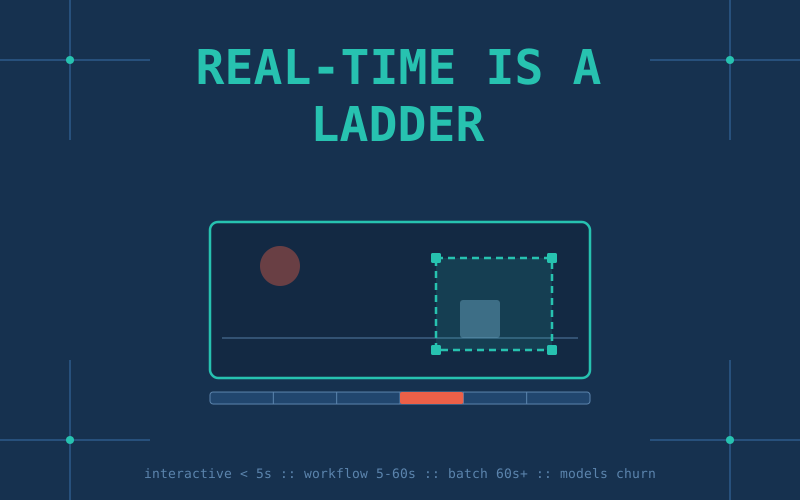
"Real-time AI video" is the phrase of the season, and a recent breakdown from GPU cloud GMI is a useful map, once you strip the vendor gloss. Two things in it actually matter and will outlast every model announcement. First, "real-time" is not one thing, it is a ladder: interactive (under 5 seconds), workflow (5 to 60 seconds, the current practical ceiling), and batch (60 seconds and up, which is not real-time no matter what the landing page says). Second, the build decision is a layer decision, application-layer creator tools like Runway or Kling versus infrastructure-layer model APIs and self-hosting, and it flips at volume. What does not matter is which model tops the leaderboard, because that answer rots in weeks: Sora 2 is already being switched off. Pick your latency tier and your layer. The model is a swappable part.
What "real-time" actually means
The single most useful idea here is that the phrase covers three very different latency budgets, and conflating them is how marketing gets away with it.
Why this matters: your latency tier decides your entire architecture before you pick a single model. Interactive video (the holy grail, and where Google's conversational editing demos are pushing) needs warm GPUs sitting idle and ready, which is expensive. Workflow speed is where real production lives today. Batch is fine for a render farm and terrible for anything a human is waiting on. Decide which one your product actually needs, because paying interactive prices for a batch job, or promising interactive speed on batch infrastructure, are the two most common ways these projects fail.
Two layers, one decision
The second durable idea is that generative video splits into two layers, and you only build on one of them. The application layer is the creator tools, Runway, Pika, Kling, Luma, HeyGen, polished interfaces where a human sits and directs. The infrastructure layer is raw model access, hosted APIs or a model you run yourself on rented GPUs, meant to be wired into a product that generates video without a person in the loop. Creators and small teams should live at the application layer and never think about a GPU. Product builders start on managed APIs and, per GMI's rule of thumb, graduate to dedicated endpoints or self-hosting somewhere around 5,000 video requests a day, the point where per-call API pricing stops being cheaper than renting the metal.
The models are a blur, and that is the point
Here is where any listicle betrays you. The GMI piece names Sora 2, Kling 2.6, Veo 3, Runway Gen-4.5, and it was already out of date when it published. As of now Sora 2 is being wound down, with OpenAI having pulled the Sora app and the API scheduled to go dark in September. Kling is on 3.0 with native 4K and 60fps. Veo is on 3.1 and is the one model doing synchronized 48kHz dialogue rather than just sound effects. Runway Gen-4.5 led the Elo charts at launch in late 2025 and has since fallen out of the top ten, while staying the professional favorite for granular control. If you built your product around "the best model," you rebuilt it three times this spring. The lesson is not which name to trust, it is to treat the model as a swappable dependency behind an interface you own.
One name worth knowing for the local-AI crowd is HunyuanVideo 1.5, Tencent's 8.3-billion-parameter open model. It is a genuinely capable text-to-video and image-to-video system that produces 480p to 720p clips and upscales to 1080p, and its step-distilled variant renders in about 75 seconds on a single RTX 4090. That last number is the honest catch: 75 seconds is squarely in the batch tier, not real-time, and the license is Tencent's community license (with carve-outs for the EU, UK, and South Korea and a 100M-user cap), not a clean Apache grant. But it means the entire pipeline can run on hardware you own, which for a lot of builders beats any latency chart.
The pro move is a pipeline, not a model
The most practical thing in the whole discussion is the quiet admission that no single model wins, so production pipelines chain several. A common shape: generate keyframes with a strong image model like FLUX, hand those to a motion model like Kling or Luma to animate between them, then run a separate upscaling pass for final resolution. Each stage uses the tool that is best at that one job, and because every stage sits behind your own interface, you swap any link when a better one ships next month. This is the same manager-and-worker instinct reshaping AI coding, applied to pixels: stop looking for the one model that does everything, and start routing each task to the specialist.
The GPU reality (and the vendor's thumb on the scale)
The rest of GMI's piece is a GPU sales pitch, but the underlying engineering is real and worth internalizing: real-time video is a systems problem, not a model choice. Latency comes from memory bandwidth and VRAM (an H200 carries 141GB of HBM3e at 4.8TB/s versus the H100's 80GB), from cold starts (a serverless GPU can add a warmup delay to the first request), from batching (grouping requests can roughly double throughput on the same hardware), and from region (serving near your users shaves round-trip milliseconds). The vendor's conclusion, unsurprisingly, is to rent its GPUs, quoting hourly rates from about $2 for an H100 up to $8 for a GB200 rack. Take the pricing with the appropriate salt, but keep the engineering: if you are chasing the interactive tier, you are buying warm, well-batched, regionally-placed GPUs, and the model is almost the easy part.
The honest caveats
Three. First, consider the source: this framing comes from a company that sells GPU hours, so every arrow points toward "you need more compute, rent ours." The latency tiers and layer split are genuinely useful, the buy-recommendation is an ad. Second, "real-time" remains mostly aspirational at the interactive tier; today's honest state of the art is workflow speed, seconds not milliseconds, and truly conversational video is still demos and roadmaps, not shipping products. Third, every specific model and price here has a short shelf life, the whole point of the post, so trust the framework and re-check the roster the week you build. The frontier of who is number one will have moved by the time this sentence is a month old.
Key Takeaways
- "Real-time" video splits into three latency tiers: interactive (under 5s), workflow (5 to 60s, today's practical ceiling), and batch (60s+, not real-time). Your tier dictates your architecture before you pick a model.
- Build decision is a layer decision: creators use application-layer tools (Runway, Pika, Kling, Luma, HeyGen); product builders use infrastructure-layer APIs and self-host past roughly 5,000 video requests a day.
- The model leaderboard is noise: Sora 2 is being sunset, Kling is on 3.0, Veo on 3.1, Runway fell out of the top ten. Treat the model as a swappable dependency behind an interface you own.
- For local AI, HunyuanVideo 1.5 (8.3B, open-ish) runs the full pipeline on a single RTX 4090 in about 75 seconds, which is capable but firmly batch-tier, not real-time.
- The pro pattern is a pipeline, not a model: keyframes then motion then upscale, each a swappable specialist. And real-time is a systems problem (warm GPUs, batching, regional routing), which is exactly what the GPU vendor telling you this is selling.
Sources: GMI Cloud (latency tiers, layer framework, GPU economics, pricing), Tencent HunyuanVideo 1.5 (open model specs and RTX 4090 timing), HunyuanVideo 1.5 technical report, NVIDIA (H200 memory specs), plus current-model status (Sora sunset, Kling 3.0, Veo 3.1, Runway) from July 2026 landscape coverage. Specific models and prices change fast; verify the roster before building.