Unity CLI 1.0 Exits Beta as Agents Run 98% of Its 600M Commands
On this page 6 sections
TL;DR
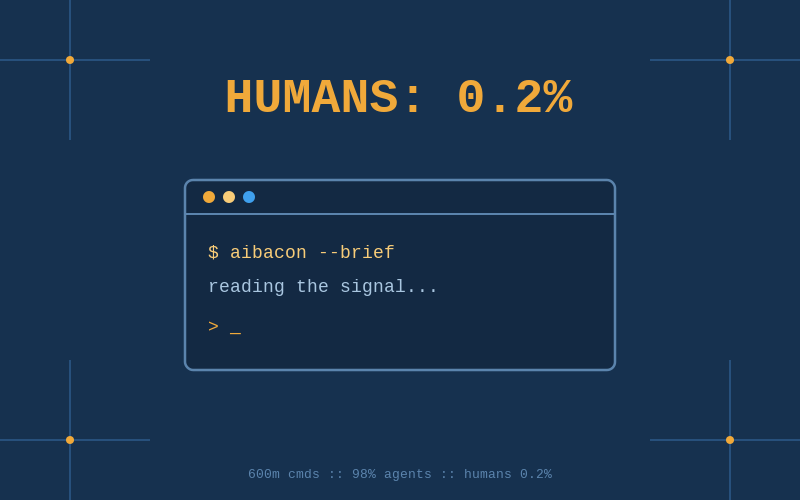
At Unite Tokyo on November 17, Unity CLI 1.0 left beta together with the Pipeline package that lets it drive a running Unity Editor. Unity's telemetry says more than 350,000 logged-in users have run more than 600 million CLI commands since July 20, and about 98% of those runs came from coding agents and other automation. Humans typing at a terminal account for 0.2%. Unity built a tool for developers, and its own numbers say the developers are mostly not the ones using it.
What actually shipped
The CLI is one native binary for macOS, Linux and Windows that installs and manages Unity Editors, modules and projects from the terminal. The Pipeline package (com.unity.pipeline) is the other half: it lets the CLI drive an Editor that is already running, so a script, a CI job or an agent can open a project, run a command and read the result. Unity shipped 17 beta releases between July 15 and this week's 1.0, and the latest Unity Hub now installs the CLI for you.
The agent support is the point. unity setup installs an official Unity plugin for Claude Code, Codex, Grok Build or Google Antigravity, and the skills Unity wrote for those plugins are public in the Unity skills repository on GitHub, so any agent can use them. unity skill install --all hands the skills to every agent it finds on the machine, including VS Code Copilot, Qwen Code and OpenCode, and unity skill sync keeps them current. In Unity's own description of the launch, an agent with these skills can block out levels, write code, trigger compilation, fix its own errors and playtest the scene.
98% agents, 0.2% humans
The numbers come from Unity's usage report, published October 22 and updated in the 1.0 post. From July 20 to October 13, about 98% of CLI runs came from coding agents and other automation. CI pipelines account for 0.3%. A human typing at a terminal: 0.2%. Unity counted a run as human only when both its input and output were a terminal; MCP sessions, known AI tools, and scripted or piped runs all count as agents and automation. Employees are excluded, telemetry opt-outs are not counted, and each event counts once, so retries do not inflate the totals.
Read the methodology before you put the 98% in a slide deck. "Agents and automation" here includes plain scripts, so the figure measures hands-off operation in general. It is still a strange result for a terminal tool. The pattern Unity describes is an old workshop arrangement with new occupants: the human sharpens the tools and lays them out, and the apprentice does the building. When people do type, they install the Pipeline package, open the project on the right Editor version, sign in, point their agent at Unity, and hand over the keys.
The command mix confirms where the work happens. unity command, which runs a built-in or custom command on a connected Editor, accounts for about 124 million runs. unity status and unity pipeline list, both health checks, trail far behind. Claude Code is the agent most often on the other end, followed by Codex, then Cursor and Grok. By signed-in users, the largest audiences are the United States, Japan and South Korea, then Germany and Turkey.
Why 1.0 specifically matters
A 1.0 with a compatibility promise is what makes the rest safe to build on. Unity says commands, flags and output stay compatible across 1.x releases, and anything that has to change gets a deprecation warning and time to migrate. For agent-driven pipelines that matters more than for people: one renamed flag can break every run that depends on it.
The reliability work targets the same failure modes. Every listing and stream now emits the same JSON shape, short flags mean the same thing in every command, the CLI never prompts in CI, and exit codes say whether the Editor is busy, a dialog is blocking it, or the network is down. The CLI can also see which dialog a headless Editor is waiting on and answer it, which kills a whole genre of silent hang.
unity vcs names the asset behind each change in a scene or prefab and can summarize a pull request without switching branches. The Build Server license now covers agents and automation, not only builds: one license per instance, on a headless Editor or in a container, on any machine. Your agents need seats, like contractors. Still coming: a supported containerized Linux Editor, terminal commands for AI Generators, Live Games and Build Automation, and, in Unity's words, accounts built for agents.
Security got a pass as well. Installs, skills and project linking were hardened so a cloned repository cannot substitute its own programs for the real ones. If you point agents at third-party repos, that hardening is the feature you care about.
Try it
If you run the latest Unity Hub, you already have the CLI. Start with the CLI documentation, run unity setup for your agent, or unity skill install --all for all of them. unity projects audit runs Project Auditor and writes a report, a decent first task to hand an agent on an older project. Homebrew, winget and APT installs are available, and unity self-update keeps the last three versions so you can roll back.
Two cautions. The figures are Unity's own, published by Unity, about Unity, and the 98% window (July 20 to October 13) is narrower than the 600 million command count, which runs to November 17. And 1.0 is six days old; track unity changelog before you script anything precious around it.
Key Takeaways
- Unity CLI and the Pipeline package are out of beta at 1.0, with official plugins and a public skills repo for Claude Code, Codex, Grok Build and Google Antigravity.
- About 98% of the 600 million-plus CLI runs since July 20 came from agents and automation; humans typing account for 0.2%.
- Most work goes through
unity commandinside a live Editor, about 124 million runs. Claude Code leads agent usage, ahead of Codex. - 1.0 holds commands, flags and JSON output stable across 1.x, with exit codes and dialog handling built for unattended runs.
- The Build Server license now covers agents and automation on headless Editors, one license per instance.
- The telemetry counts scripts and MCP sessions as agents, so read 98% as the automation share, with frontier coding agents a large but unseparated slice of it.
Sources: Unity CLI 1.0 announcement, Unity CLI usage data, Unity for Games on X, Unity skills repository, Unity plugin documentation, Pipeline package docs